Orbit Drift
ORBIT DRIFT
Circle the sun. Grab the light. Go faster than anything should.
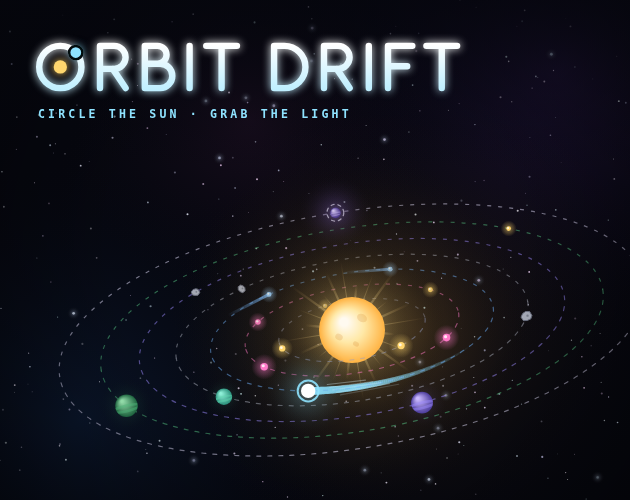
You're a tiny orb in orbit, and you never stop moving. The sun shoots out orbs; grab them to go faster. Every ring you reach opens something new: pink orbs, comets that slow you down, asteroids, planets to grow, and a gateway at the edge of your solar system.
WHAT'S INSIDE
- 7 rings to climb, each with new orbs, rocks and rewards
- Over 150 upgrades across 5 star charts, plus Matter and Relic stars at the end of every path
- Planets that grow, send out probes, and bring you resources
- Solar flares, meteor showers and wormhole bonus rounds
- Alien ships with two arcade mini games
- Rare orbs that double your speed, if you can catch them
- A dying sun you have to keep alive
- 50+ achievements, and some of them are stupid hard
- An original, spacey soundtrack that changes with what's happening
- ...and more that you'll have to find for yourself
PLAY ANYWHERE
Your game saves by itself. Want to play on your phone? Open Save & Codes, choose Sync devices, get a 6-digit code, and type it on your other device. Your progress follows you. No account or sign-up needed.
UPDATED DAILY
New content, upgrades and fixes land almost every day. Check "What's new" on the start screen to see what changed.
CONTROLS
Computer:
A or Space: grab an orb
W / S: move up or down a ring (go below ring 1 for the shop)
D: feed the sun
Q: place a planet
M: mute
Phone and tablet:
Tap anywhere to grab, and use the buttons for rings, planets and the sun
New here? Play the tutorial from the start screen.
Download
Install instructions
HOW TO PLAY
In your browser (easiest)
Just press Run game on this page. It works on computers, phones and tablets, and your game saves by itself.
Download and play offline (computer)
1. Download the Orbit Drift zip below.
2. Unzip it (double-click it on Mac, or right-click > Extract All on Windows).
3. Open the folder and double-click index.html. It opens in your web browser. Chrome, Edge, Firefox and Safari all work.
4. Bookmark it, or keep the folder somewhere easy to find, like your Desktop.
No install or internet needed to play. You only need internet to sync with your other devices.
Put it on your phone's home screen
iPhone/iPad (Safari): open this page, tap Share, then Add to Home Screen.
Android (Chrome): open this page, tap the ⋮ menu, then Add to Home screen.
It opens like an app from then on.
KEEP YOUR PROGRESS EVERYWHERE
Each browser and each downloaded copy keeps its own save. To carry one game between them:
- Sync devices: in the game, open Save & Codes > Sync devices > Get a code, then type the code on your other device. Your game stays in sync from then on.
- Or use a save code: Save & Codes > Copy save code, then Load a save on the other device.
TROUBLE?
- No sound on iPhone? Flip the silent switch off.
- Keep the downloaded files together in their folder, and don't rename index.html.
Comments
Log in with itch.io to leave a comment.
I know no body checks down here much since the project is not very popular here on itch but the games going live on steam soon with new major updates and a lot of content as well as my first pro animations and such into the game replacing the lore videos and such sory for no update today but i did make some major updates but there only for me rn LOL please get the game on steam and suport us there with a grand total of 1.99 see you guys your boy Shaw
Ok just beat beat the Game and there will be more content in the future
Um new patch if any one has been to the Unknown area you might see some difrences in the chalanges and new progretion line LOL
Working on a new loading screen for some reason
cool new things if any one wants to know if any one ooks down here LOL is the code HELPMEPLS
gives you a list of codes im working on some balance and gameplay not issues but just things so... yea LOL
Cool code if any one checks down here is DISCO and then enter and then Sketchbook
w game its me sagan btw bry
Thank you It took SO LONG... LOL
Im patching you clicker buddy